Chattogram Grocery Product Availability Questions: A Practical Ordering Guide
Use these chattogram grocery product availability questions to confirm the exact item, understand what a stock label can—and cannot—tell you, and decide on a substitute before you place an online grocery order. Start by specifying the product and pack you need, check the listing, then ask the retailer about any uncertainty that could change your order.
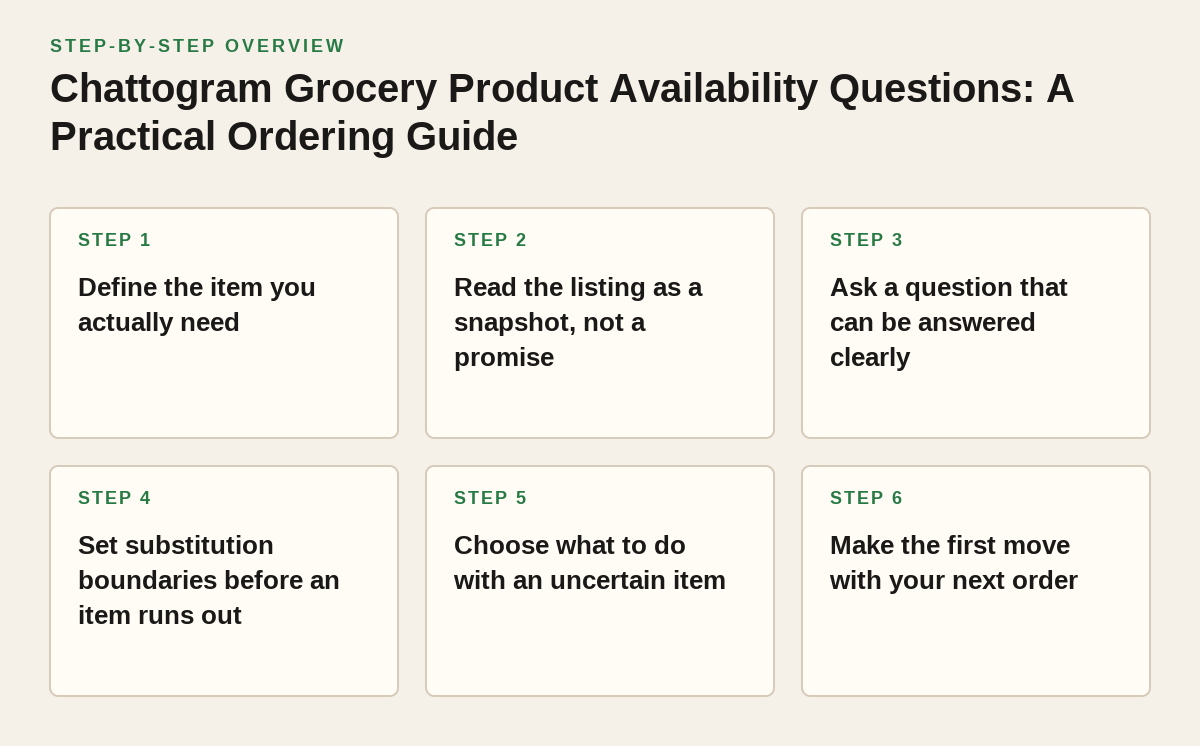
Step 1: Define the item you actually need
A product name alone may not identify the right grocery item. A listing can include different brands, sizes, flavours, or forms under similar names. Before searching or asking, write down the details that would make an alternative unsuitable.
- Product identity: name, brand if important, and type—for example, wholegrain flour rather than flour generally.
- Pack details: preferred size, count, or format, such as a one-kilogram bag rather than a bulk sack.
- Non-negotiables: ingredients, dietary needs, or household requirements that a replacement must meet.
If brand is flexible but pack size is not, say so. If either can change, decide what range you would accept before asking. That gives the retailer a usable alternative rule instead of leaving them to guess.
When you are still building a list, browse grocery categories can help you browse Lucky Store’s grocery categories. Treat category browsing as a way to find listed options, not as confirmation that a particular item is currently available.
Step 2: Read the listing as a snapshot, not a promise
Check the product title, selected variant, pack size, and any visible availability message together. A general category result may not reflect the exact variant you intend to add. Open the individual listing and confirm that the cart contains that same choice before moving on.
Availability labels have defined meanings in some retail data systems. For example, Google Merchant Center distinguishes statuses such as “in stock,” “out of stock,” “preorder,” and “backorder” in its availability attribute guidance. A displayed status can help you interpret a listing, but it does not tell you whether a specific pack will still be available when an order is processed.
Inventory can also be managed by location. Shopify’s inventory documentation describes tracking inventory quantities and locations for a store. That is a useful reminder when comparing stock information: a retailer’s displayed status may depend on how its systems are maintained and where stock is recorded. It does not establish the stock position of any particular Chattogram retailer.
Check identifiers when the variants look alike
For packaged goods, a barcode or product identifier can help distinguish one trade item from another. GS1 describes the Global Trade Item Number (GTIN) as an identifier for trade items in its GTIN overview. If a listing shows an identifier, compare it when you need a precise match; if it does not, use the brand and pack details in your question.
Step 3: Ask a question that can be answered clearly
“Is this available?” may prompt a broad answer that leaves out the detail you care about. Include the exact product, pack, and any acceptable alternative. If timing or delivery coverage matters, ask about that separately rather than assuming a listing confirms it.
“Can you confirm whether [brand and product] in the [pack size] shown in my cart is available for my order? If not, is [specific alternative] available? Please leave it out if neither option is available.”
Use the retailer’s available customer-support route or the information shown in its storefront. Keep the wording factual and specific; do not send payment details or other sensitive information in a general product question.
| What you need to know | Ask this | What the answer helps decide |
|---|---|---|
| Exact variant | “Is the listed brand and pack size available?” | Whether the listing matches your intended item |
| Acceptable replacement | “Is this named alternative available if the original is not?” | Whether you can set a clear backup choice |
| Order-specific uncertainty | “Can you confirm this for the order I am preparing?” | Whether to proceed, revise the cart, or wait for clarification |
Ask one question per decision when a product has several variants. A response about one pack does not confirm another, even when the product names look nearly identical.
Step 4: Set substitution boundaries before an item runs out
A substitute is useful only if it still works for the household. A different brand may be fine for a pantry staple but unsuitable when the original has a specific ingredient, texture, or use. Make the decision before checkout so a missing item does not force a rushed choice.
Use a simple three-way rule
- Exact item only: do not replace it. Use this for allergy-related needs, a specific formulation, or a product that cannot be swapped in a recipe.
- Named alternative: allow a replacement only if it matches the brand, type, or pack details you specify.
- Flexible choice: permit a comparable product when the brand is unimportant and the relevant size and product type still fit.
For food with an ingredient or allergy concern, check the actual replacement’s package information rather than relying on a similar product name. The US FDA explains how food-allergy information relates to food labels in its food allergies and food-labeling guidance. That page describes US information; local packaging and rules may differ, so use the label on the product you would actually receive.
Do not assume “similar” means equivalent. For example, a shopper who needs a particular flour for a recipe might accept another brand of the same type, but not a different grain. Write that distinction into the question or your own order notes if the storefront provides a suitable field.
Step 5: Choose what to do with an uncertain item
Once you have checked the listing and asked any necessary question, make a deliberate order decision. The right choice depends on how essential the item is, whether a workable alternative exists, and whether you can tolerate it being omitted.
- Order the listed item if the product and variant match your need and you accept that displayed availability may change.
- Choose a confirmed alternative if it meets the requirements you set and you are comfortable with the difference.
- Leave it out if the item is essential and no suitable replacement has been confirmed.
- Pause to clarify if the answer does not specify the brand, pack, or alternative you asked about.
For a worked example, imagine your household needs a particular brand of one-kilogram rice, but the listing gives no clear stock detail. You ask whether that exact pack is available and name a second rice brand as an acceptable backup, provided it is also the same type and size. If the reply confirms only that “rice” is available, it does not resolve your question; ask which pack is available or leave the item out. If the exact pack is confirmed, compare the cart against that answer before placing the order.
Keep the decision proportional to the risk. For a flexible pantry item, a clearly defined alternative may save another shopping trip. For a medically or dietarily important item, omission can be safer than an unverified replacement.
Step 6: Make the first move with your next order
Before adding an uncertain product, write its exact name, required pack details, and one of the three substitution rules above. Then check the listing and ask the retailer only about the detail that remains unresolved. This turns “Do you have it?” into a question that can guide a real ordering decision.
Lucky Store lets shoppers browse grocery products, use a cart, and place online orders; current item availability and any location-specific delivery details should be checked through the storefront or with the retailer. Start by reviewing the item you need on Lucky Store, then decide whether its listed option meets your requirements.
Authored with NotFair SEO